> ## Documentation Index
> Fetch the complete documentation index at: https://help.emaillove.com/llms.txt
> Use this file to discover all available pages before exploring further.
# Canceling Your Subscription
> How to cancel a Stripe subscription from the plugin's Account page, or a legacy Gumroad membership
How you cancel depends on how you signed up. New customers subscribe through Stripe from inside the plugin. Customers who purchased through Gumroad manage their membership on Gumroad.
## If You Signed Up Through the Plugin (Stripe)
Open the Email Love Figma plugin.
Click on your profile name on the top left corner of the plugin interface.
On the **Account** page, click the **Manage Subscription** button. The Stripe billing portal opens in your browser.
Click **Cancel plan** and confirm.
Your plan stays active until the end of the current billing period, then your workspace moves to the Free plan. You keep your account, your designs stay in your Figma files, and you can resubscribe at any time from the Account page.
Only the workspace owner can cancel. If you're a member of someone else's workspace, ask the owner to make the change.
## If You Purchased Through Gumroad
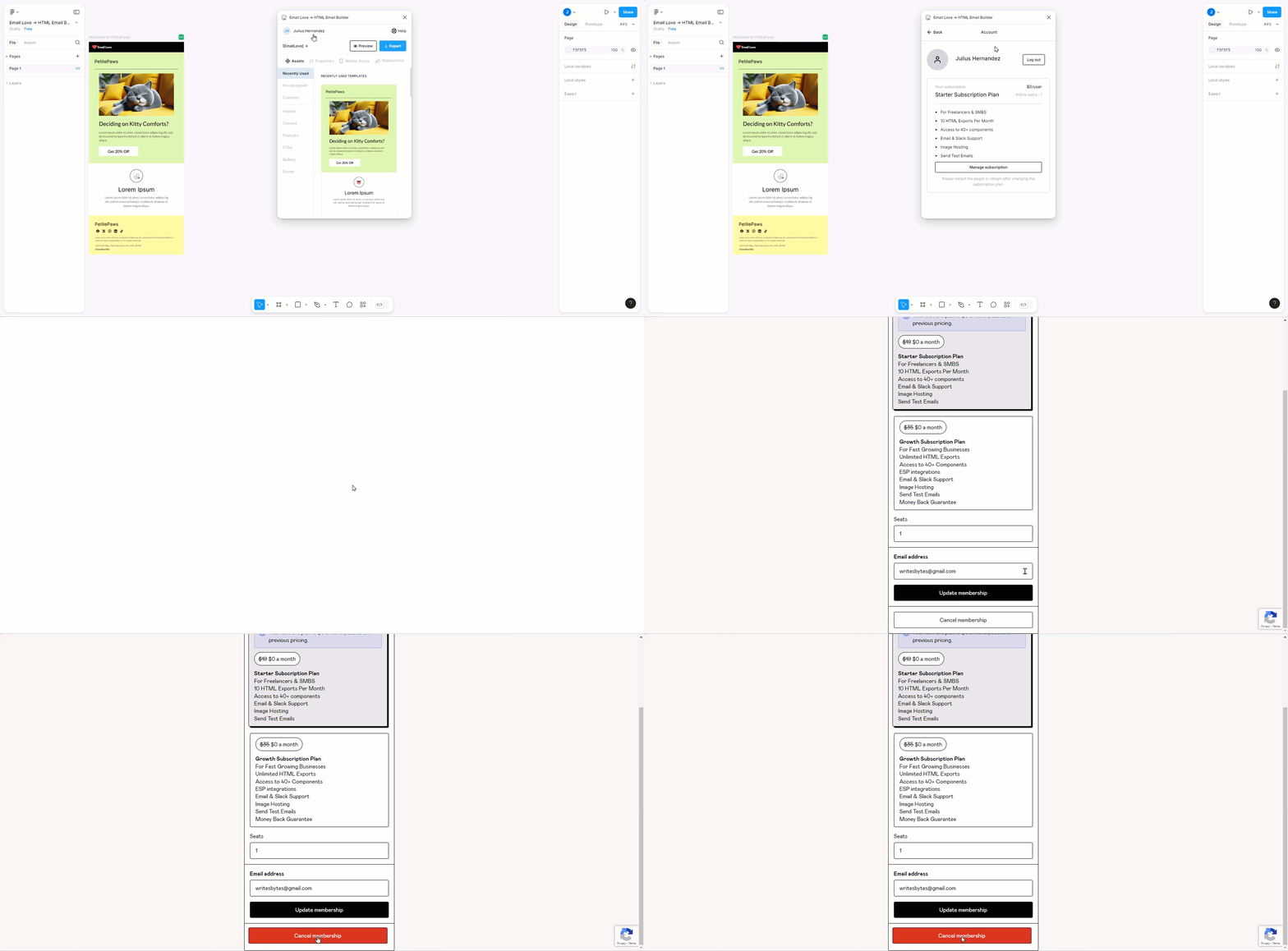
Open the Email Love Figma plugin.
Click on your profile name on the top left corner of the plugin interface.
On the **Account** page, click the **Manage Subscription** button. You will then be redirected to the Gumroad membership management page.
Click the **Cancel Membership** button at the bottom.
The video below shows how to cancel a Gumroad subscription.
 From the Gumroad membership management page, you may also:
* Change your subscription plan.
* Adjust the number of your licensed seats.
If you have any questions or need assistance, [please contact our support team.](mailto:support@emaillove.com)
From the Gumroad membership management page, you may also:
* Change your subscription plan.
* Adjust the number of your licensed seats.
If you have any questions or need assistance, [please contact our support team.](mailto:support@emaillove.com)