

Run a check
- Open Integrations as a workspace owner or admin.
- Find the platform and open Manage for the account you want to check.
- Click Test connection. Klaviyo and HubSpot also show this control on their OAuth connection pages.
- Read each result and the time it was checked. Run the check again after changing credentials or permissions.
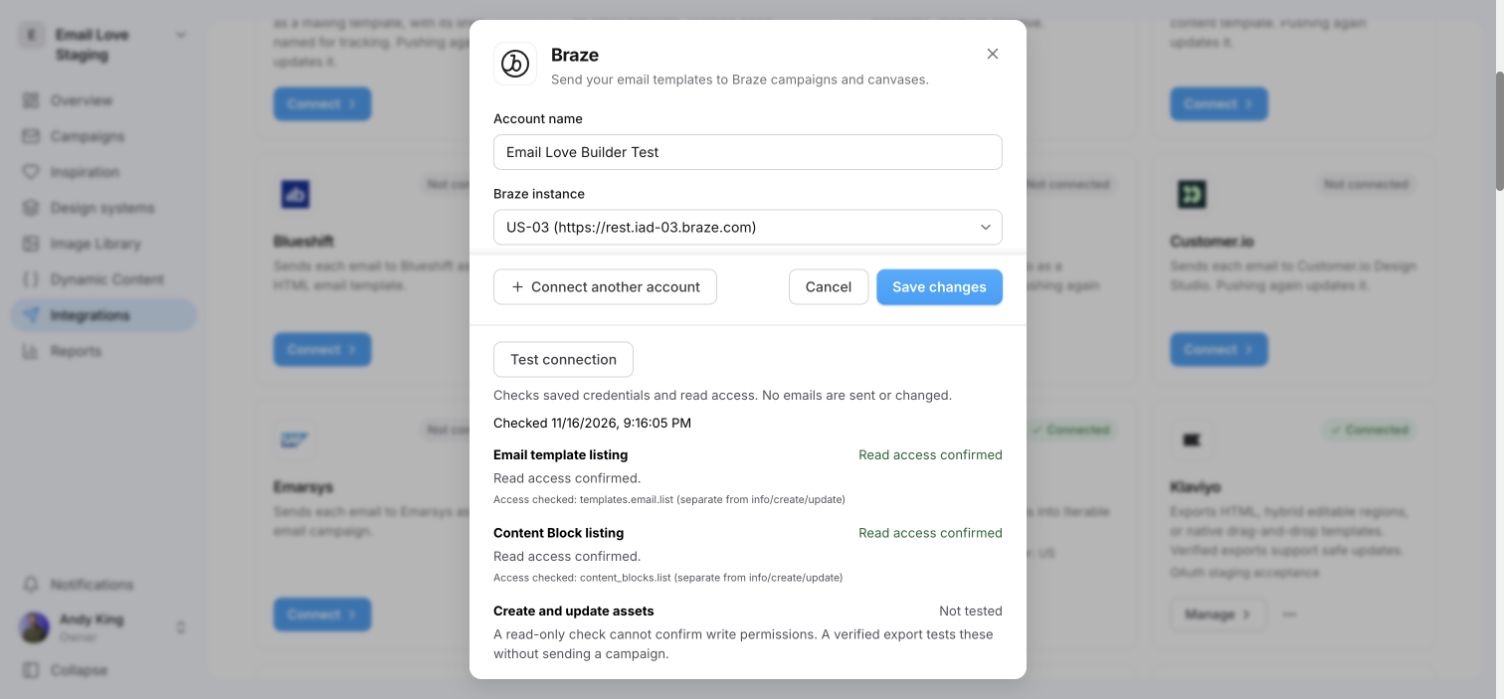
A Braze test connection. Listing access passes, while create and update permissions remain untested until an actual export.
Understand the results
The check does not create, update, delete, publish or send email assets. It may refresh an access token. Results apply to the selected account at the time of the check; they are not saved as an ongoing connection monitor.
What is checked
Braze listing permissions are separate from permissions to read, create or update an individual asset. Do not replace a working key just because optional listing access is missing. HubSpot coded email exports still need an eligible HubSpot account.
For an export check, use a test email and inspect its saved result in the platform. See verified updates and delivery status.