If You Signed Up Through the Plugin (Stripe)
1
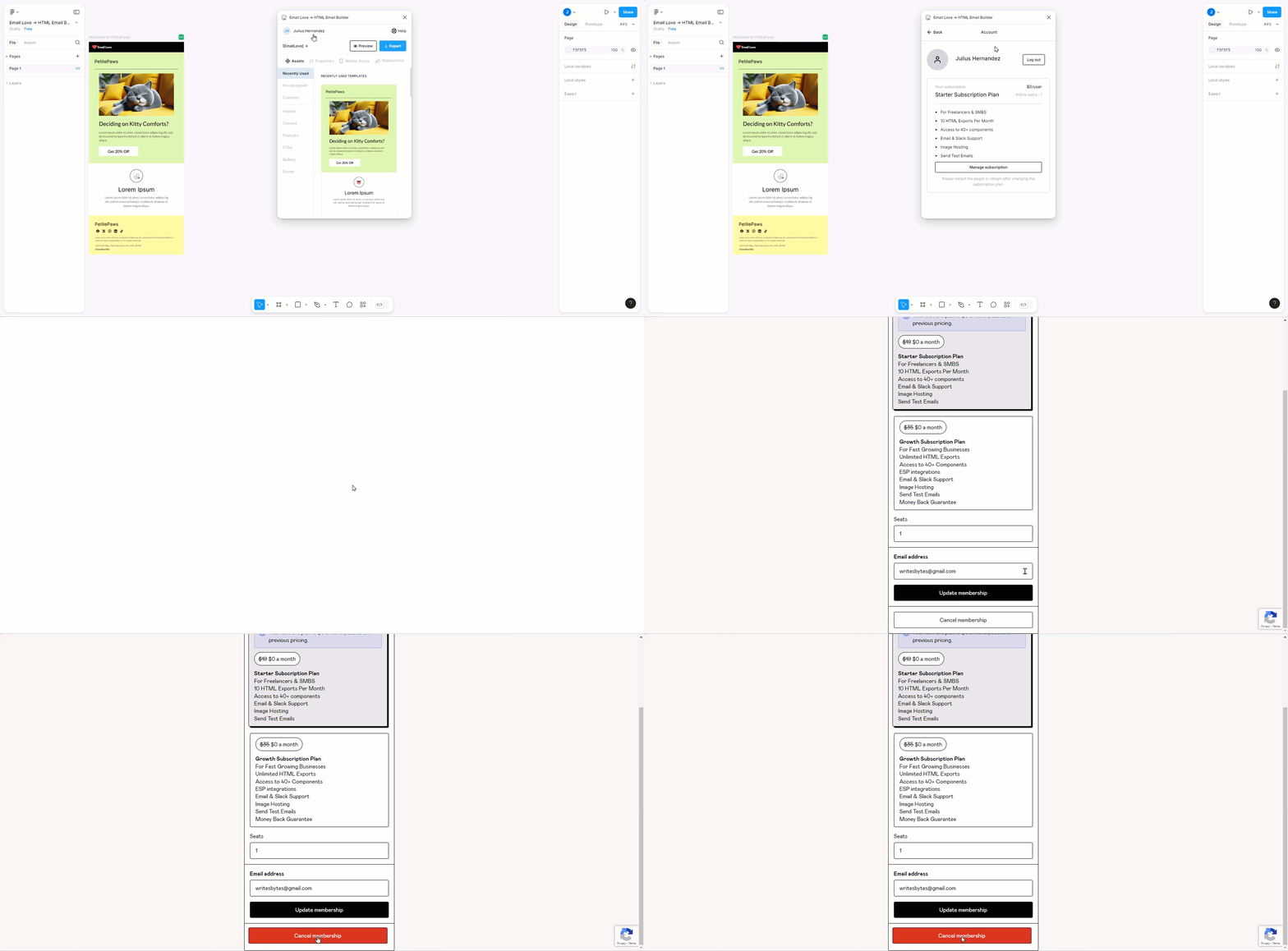
Open the plugin
Open the Email Love Figma plugin.
2
Open the Account page
Click on your profile name on the top left corner of the plugin interface.
3
Open the Stripe billing portal
On the Account page, click the Manage Subscription button. The Stripe billing portal opens in your browser.
4
Cancel your plan
Click Cancel plan and confirm.
Only the workspace owner can cancel. If you’re a member of someone else’s workspace, ask the owner to make the change.
If You Purchased Through Gumroad
1
Open the plugin
Open the Email Love Figma plugin.
2
Open the Account page
Click on your profile name on the top left corner of the plugin interface.
3
Go to Gumroad
On the Account page, click the Manage Subscription button. You will then be redirected to the Gumroad membership management page.
4
Cancel your membership
Click the Cancel Membership button at the bottom.