

What you’ll see
A short wait. The progress shows a line like “Figma asked us to slow down. It carries on at 2:41 pm.” You don’t need to do anything. A longer wait. The build pauses and the page says Your design system is paused, with “Figma has asked us to wait before reading more of your file.” and when it can carry on.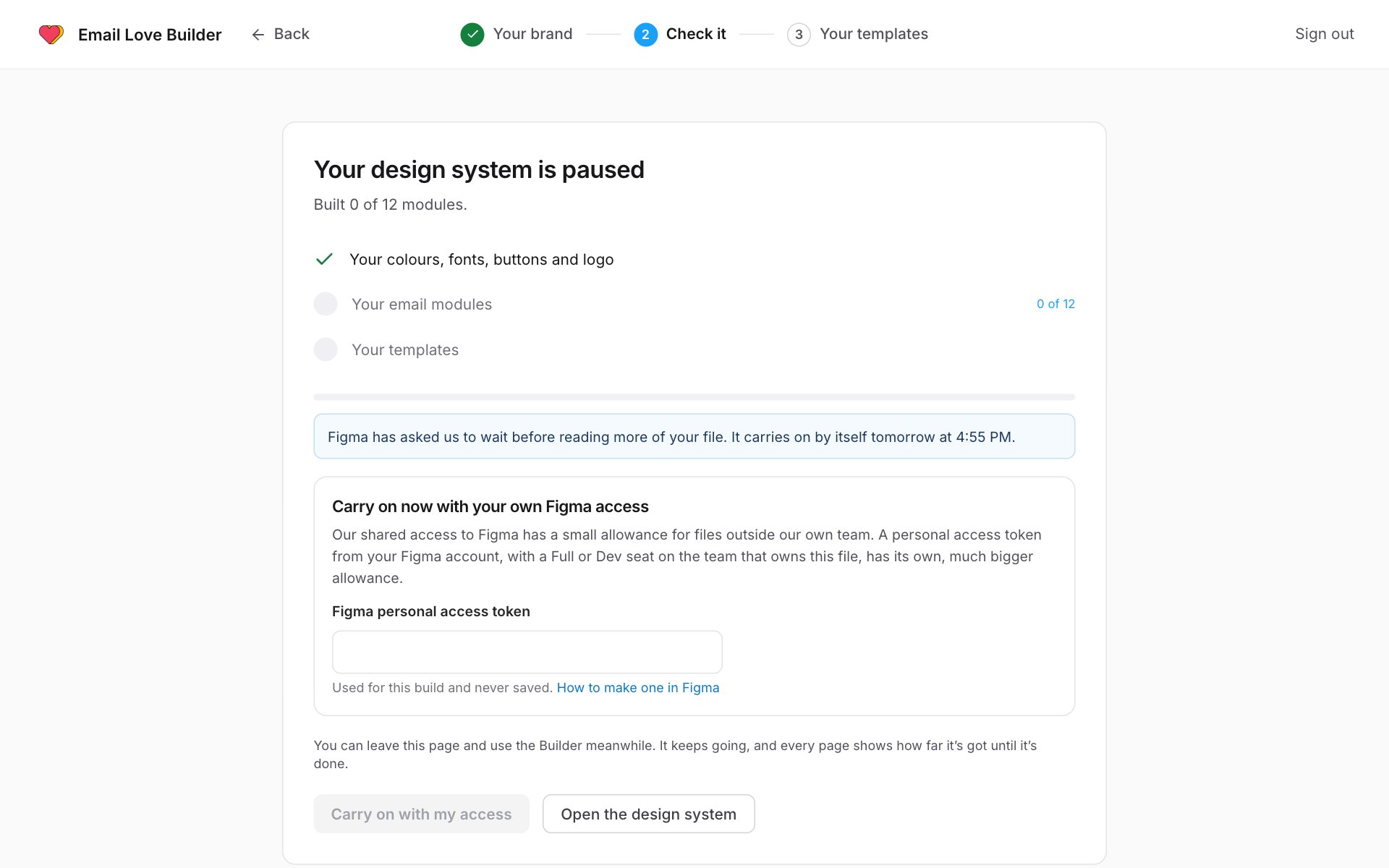
If the file is on Figma’s free Starter plan, the page also says so. Moving the file to a team on a paid Figma plan lifts the limit.
Carry on now with your own Figma access
You don’t have to wait. A personal access token from your own Figma account has its own, much bigger allowance. You need a Full or Dev seat on the Figma team that owns the file.1
Make a token in Figma
- In Figma, open Settings and go to Security.
- Under Personal access tokens, generate a new token.
- Give it read access to file content.
- Copy the token.
2
Paste it into the Builder
- Open the paused build. It’s on the setup page, or on the design system’s page in a banner that starts Paused at.
- Under Carry on now with your own Figma access, paste the token into the personal access token field.
- Click Carry on with my access.
If it pauses several times in a row
A guided build carries on by itself up to six times. If Figma keeps asking it to wait, the build stops with “Figma has asked us to wait several times in a row.” Click Resume to try again, or carry on with your own Figma access as above.Tips
- Builds from files in a paid Figma team rarely hit the limit.
- A file with fewer pages and frames needs fewer reads. Moving your email designs into their own file helps.
- Setting up from your brand’s emails or Email Love’s starter doesn’t use Figma at all.