

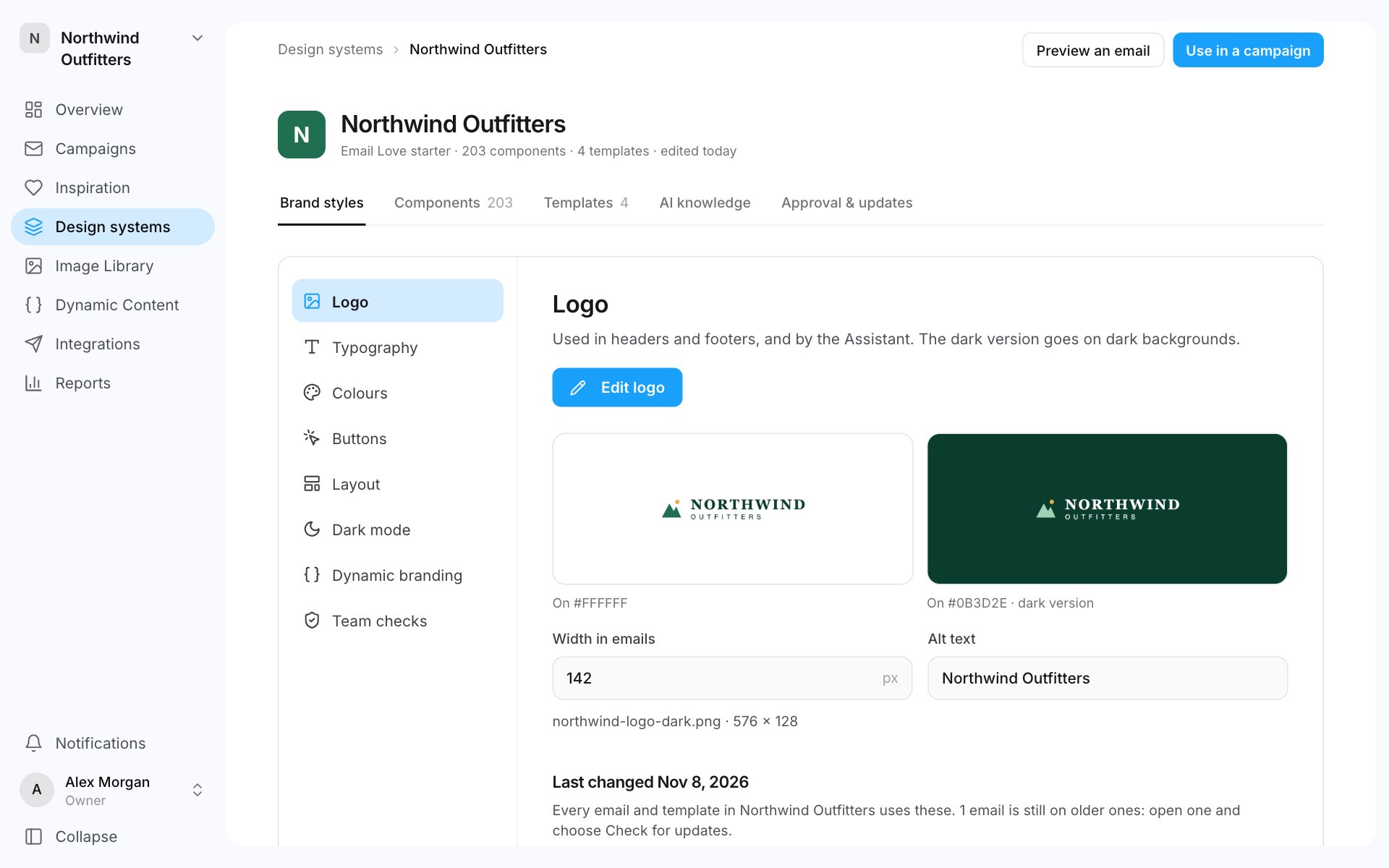
Where to find them
- Go to Design systems and open a design system.
- The Brand styles tab opens. Pick a section on the left.
Change a brand style
- Open the section and click its edit button, for example Edit colours or Edit buttons.
- Make your changes. The preview updates as you go.
- Click Save brand styles.
How changes reach emails
- Templates use your current brand styles straight away.
- New emails start with the brand styles at the time they’re created.
- Existing emails keep the styles they had. To bring an email up to date, open it, open the ⋯ menu at the top left and choose Check for updates.
Check it
When you set up from Email Love’s starter, the second step is Check it. It shows Email Love’s starter styles on a sample email, and you make them yours before anything is built.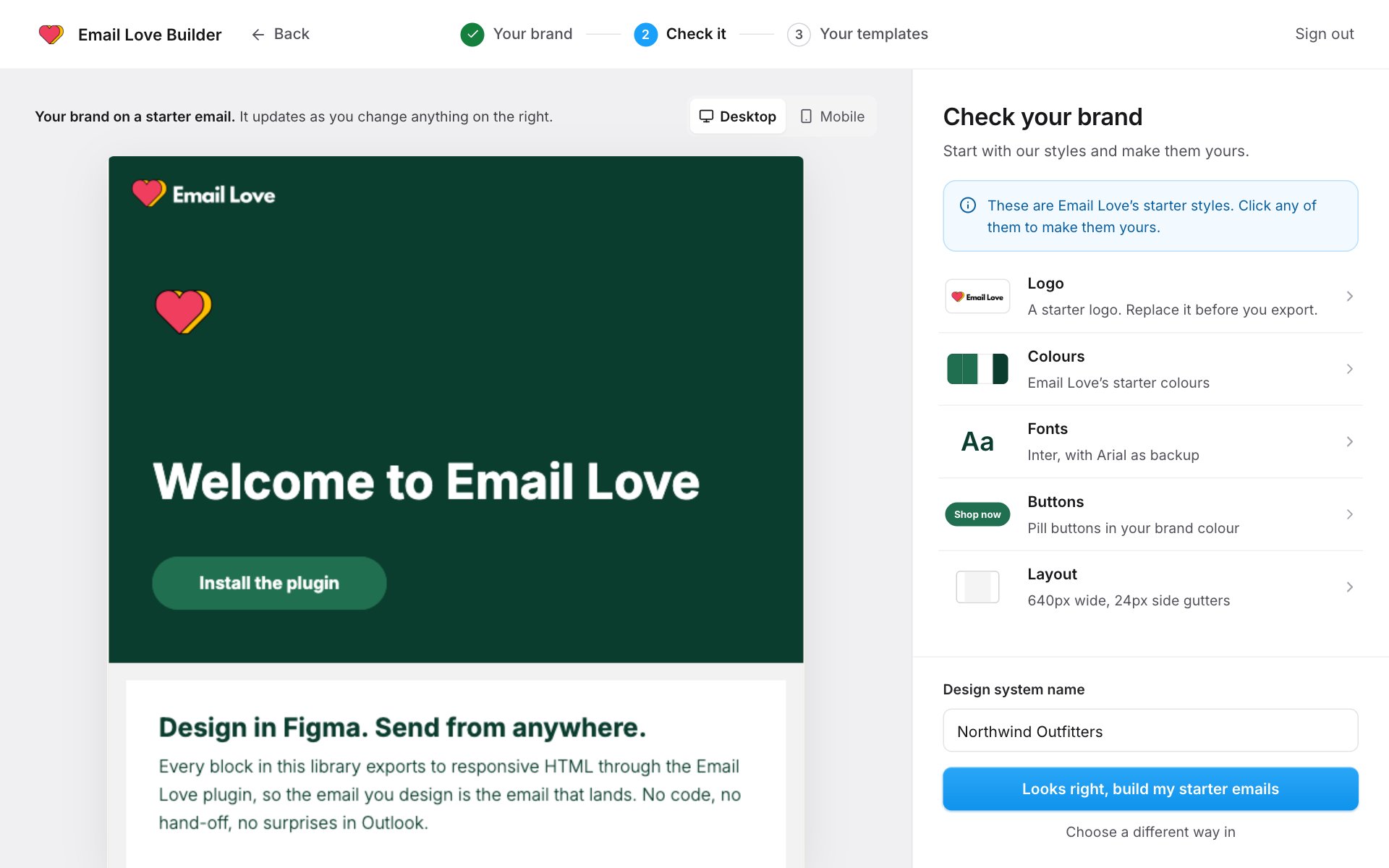
- Click a row on the right: Logo, Colours, Fonts, Buttons or Layout.
- Make your changes and click Done. The preview on the left updates. Switch between Desktop and Mobile to check both.
- Enter a Design system name.
- Click Looks right, build my starter emails.