

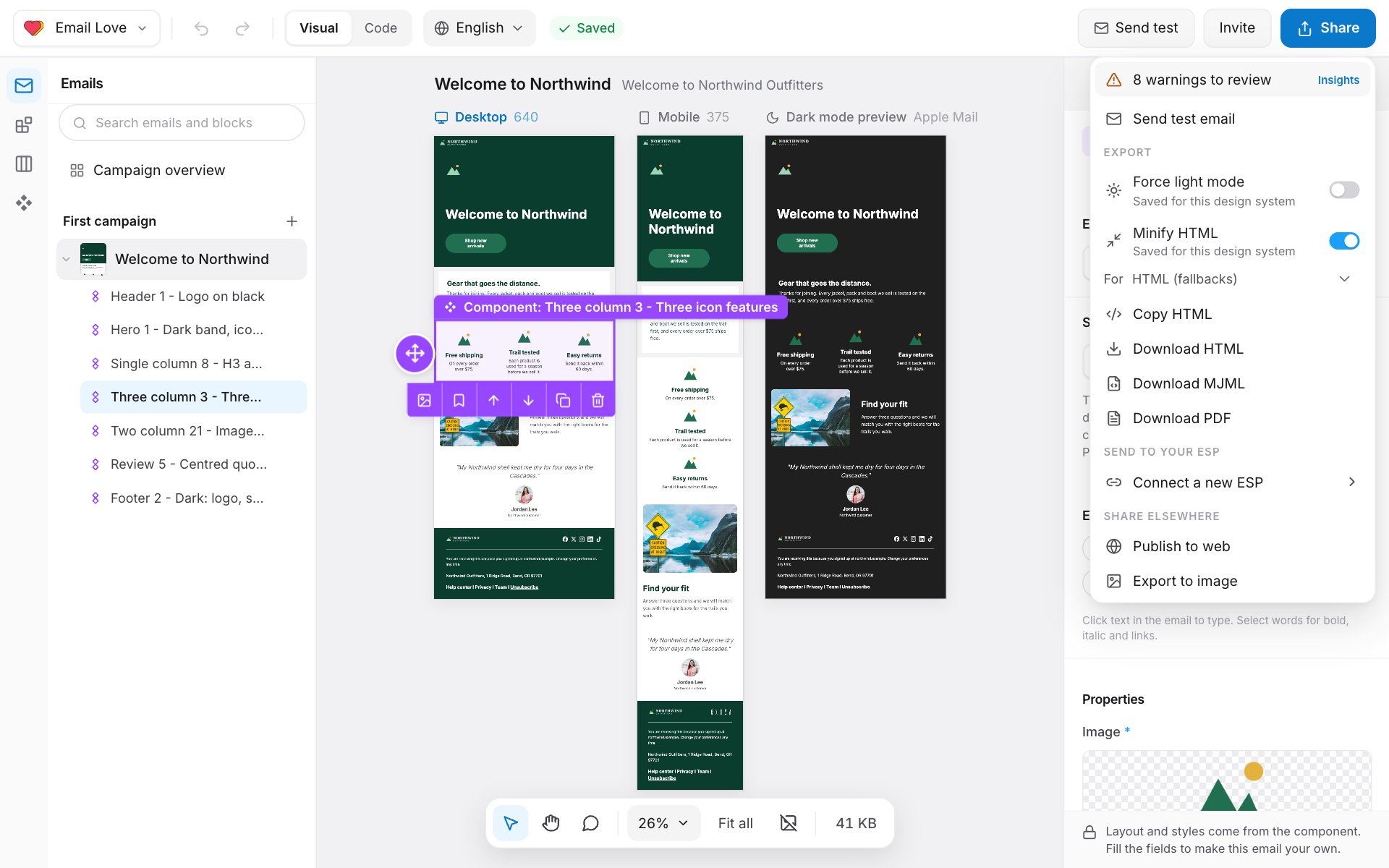
The Share menu
At the top, the menu shows the email’s checks: All checks pass, a number of warnings to review, or a number of issues block export. Click it to open Insights. See Checks. Send test email sends a test. Copy review link shows once someone has requested sign-off.Export
Send to your ESP
Each email platform you’ve connected is listed, with the account name if you have more than one. Click one to push the email. After a push, Open in the platform takes you to it. Connect a new ESP opens Integrations. See Email platforms.Share elsewhere
- Publish to web: a public web page of the email. See Preview and test emails.
- Export to image: downloads a picture of the whole email.
What the HTML includes
The exported HTML is built for email clients:- Responsive layout that stacks on phones, with phone-only styles.
- Dark mode support, unless you turn on Force light mode.
- Merge tags, unsubscribe, preference and view-in-browser links in the platform’s own syntax.
- Images hosted by the Builder.
- UTM tags on web links, if Link tracking is set in the email’s settings.
When an email can’t be exported
- A check set to Block fails. Fix it first. See Checks.
- The design system requires approval and the email isn’t approved. See Comments and sign-off.
- The language isn’t approved. Each language needs approving before it’s exported on its own. See Languages and translation.
- Your role can’t export. Viewers can’t export. Editors and above can.
- You’re on the Free plan. See below.
Plan rules
On the Free plan, any export or push opens Exports are part of the Builder plan. Click Upgrade to Builder, or ask your workspace owner to upgrade. See Plans and billing.
These count as exports: Copy HTML, Download HTML, Download MJML, Download PDF, Publish to web, Export to image, Download as image for a section, and every push to an email platform.
These don’t: test emails, Copy review link, Turn into an image, and viewing the email in Code.