

Comment on an email
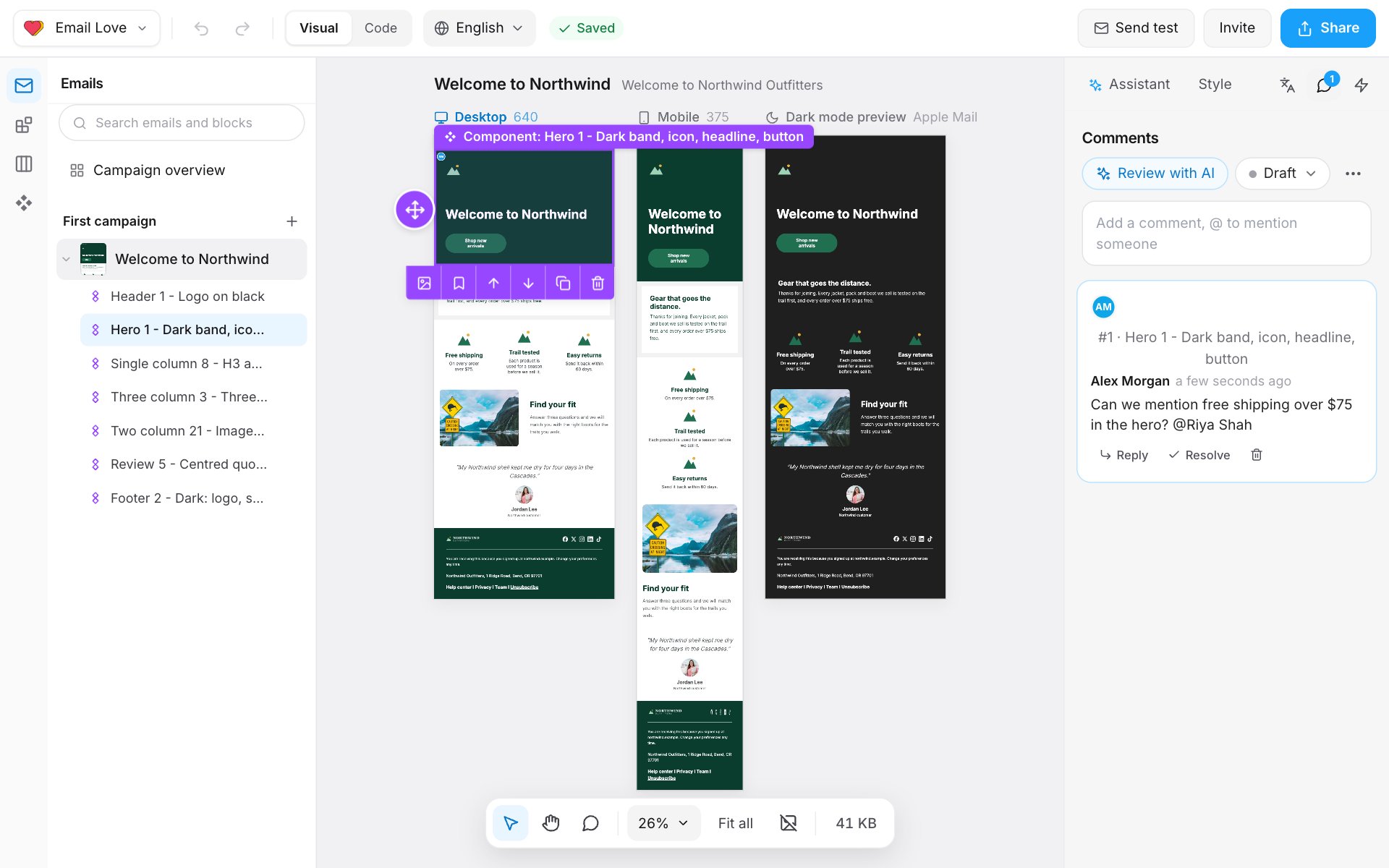
- Open the Comments panel: the speech bubble icon at the top of the right panel.
- Select a section if the comment is about one part. Otherwise the comment is On the whole email.
- Type in Add a comment, @ to mention someone. Type @ and a name to mention a teammate.
- Click Comment.
Fix comments with AI
- Review with AI reads the email and leaves its notes as comments.
- Fix with AI on one of those notes opens the Assistant with it, so you can make the change.
Request sign-off
- In the Comments panel, open the status menu (it shows Draft) and choose Request sign-off. Or, in the Style panel, click Submit for approval.
- The Builder copies a review link and shows “Sign-off link copied. Anyone with it can comment and approve, no login needed.”
- Send the link to the reviewer, or let the approvers know.
Approve or send back
In the Builder, an approver opens the email and, in the Comments panel:- clicks Approve, or
- clicks Request changes, writes What needs changing?, and clicks Send back.
The review link
People with the link don’t need a Builder account. On the review page they can:- see the email on Desktop and Mobile, with its subject and preview text
- click a part of the email to comment on it, after entering Your name and, if they like, Your email
- Approve, or Request changes and Send back
Approval steps
A design system can require sign-off before any of its emails are exported, with one or more steps, such as Marketing then Legal.- Open the design system and go to Approval & updates.
- Turn on Require approval before export.
- Click Set up approval steps.
- For each step, enter a Step name, like Legal, choose Who approves (teammates, or Or add by email for people outside the Builder), and How many must approve: Any one, Everyone named, or a number.
- Click Save steps. To go back to a single approval, click Use one approval instead.
Notifications
The bell in the sidebar, Notifications, shows:- mentions and replies
- comments left through a review link
- sign-off requests, and when it’s your step
- approvals and change requests on emails you sent for sign-off