

Connect Klaviyo
- Create a Klaviyo private API key with permission to read and write templates. A public site ID cannot export templates.
- In Builder, open Integrations > Klaviyo as a workspace owner or admin.
- Enter the private API key and save.
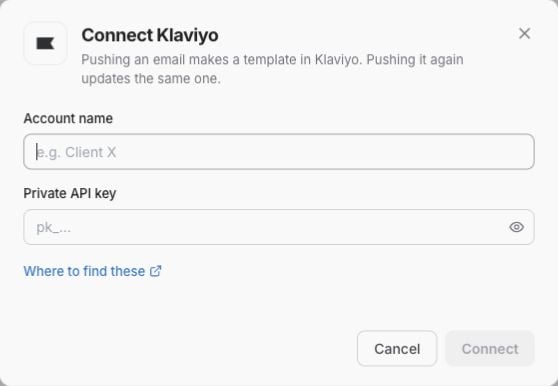
Connect Klaviyo in Integrations before exporting. This example shows blank connection fields; use the credentials for your account.
Choose an export format
Open the email, click Export, select the Klaviyo account, and choose Editing in Klaviyo.
Hybrid templates are HTML with editable regions, not fully native block templates. Opening one in the standalone template library may show code. Use it in a campaign or flow to access the editable regions. Personalized images remain HTML.
Native export supports text, buttons, rules, spacers, supported columns, dynamic images and product-feed blocks. Klaviyo controls the responsive and dark-mode rendering, so review both after export.
Ordinary static images cannot currently be imported as native Klaviyo image-library blocks. Use Hybrid: editable text and images or HTML code for those designs. Unsupported raw code, conditional structures, layouts or custom phone overrides can also stop native export. Builder reports the problem instead of silently dropping the content.
Use products selected at send time
This uses an existing dynamic product feed in Klaviyo. It is different from inserting a fixed product selection while designing in Builder.- In Klaviyo, configure a dynamic product block in a native template in the account you will export to.
- In Builder, add Klaviyo product feed from Blocks to a layout column.
- Under Products at send time, select the Klaviyo account and enter the Source native template ID.
- Click Load product feeds, then choose the Product block.
- Set the available rows, columns, product titles, prices and button options. A fixed design may lock structural choices.
- Export using Native drag-and-drop to that same account.
Update a template
Export the same Builder email to the same account and choose Update the template. Builder checks the destination against its last verified export and reads the result back after saving.- If the template changed in Klaviyo, the update stops for review.
- If the content is already up to date, Builder reports that no export allowance was used.
- The existing editing format stays fixed. Choose Create a new template to switch between HTML, hybrid and native formats.
- An older export without a verified destination may require a new copy.
Campaign and flow settings
The export creates or updates the selected template. It does not update existing campaign or flow copies, choose an audience, schedule a message or send it. Set the subject, preview text, sender and other message settings in your Klaviyo campaign or flow. Test personalization and the product feed there before sending.Troubleshooting
See verified updates and delivery status for more on updates and recovery.