

Connect Netcore
Workspace owners and admins connect this integration.- Open Integrations in Builder and choose Netcore under Email service providers.
- Give the connection an Account name your team will recognize, then enter the details below.
- Save the connection. For another account on the same platform, choose Connect another account and give it a recognizable name.
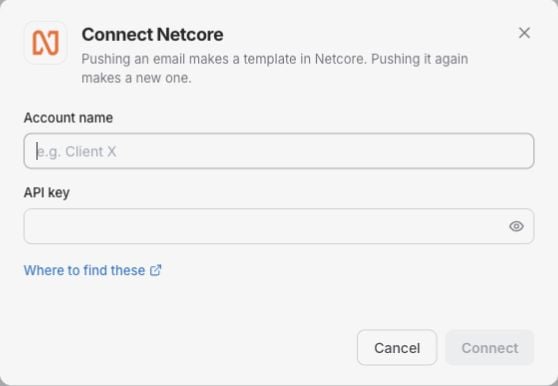
The Netcore connection form in Builder. Enter your own account details; no credentials are shown in this example.
Saved secrets are not shown again. Leave a saved secret blank to keep it, or enter a new value to replace it. Credentials saved only in the Figma plugin do not connect the Builder account.
Use Where to find these in the connection panel for the provider’s setup guidance.
Export from Builder
Open an email, click Export, choose Netcore and the account, then review the dialog and confirm. The export creates a template. Each push makes a new copy in this platform. Check the destination after export and finish your sending setup in the platform. An export does not send a campaign. If Builder says Check your ESP before retrying, inspect the destination before exporting again. See Exporting and plans.Email reporting in Builder
Daily email statistics through the connected non-EU endpoint. Recipient-domain breakdowns are excluded.- Open Reports → Email performance, choose a design system and click Manage insight settings.
- Choose this ESP account. Its reporting options load automatically.
- Select the account totals source.
- Click Save and load results to save your selection and queue the import. The account needs reporting permission separately from export access.
- Click Update now in the report for a manual refresh, or enable Sync ESP results and save for refreshes every six hours.
Troubleshooting
- Connection rejected: check the credentials and any region or endpoint against the account you want to use. Update saved secrets in Integrations if they have changed.
- Wrong destination: check the selected account before exporting or choosing a report source.
- Exports work but reporting fails: save your source selection and run Check reporting access. Check reporting permissions and the source ID. Do not grant contact access to work around a reporting limitation.